- To Deactivate a User
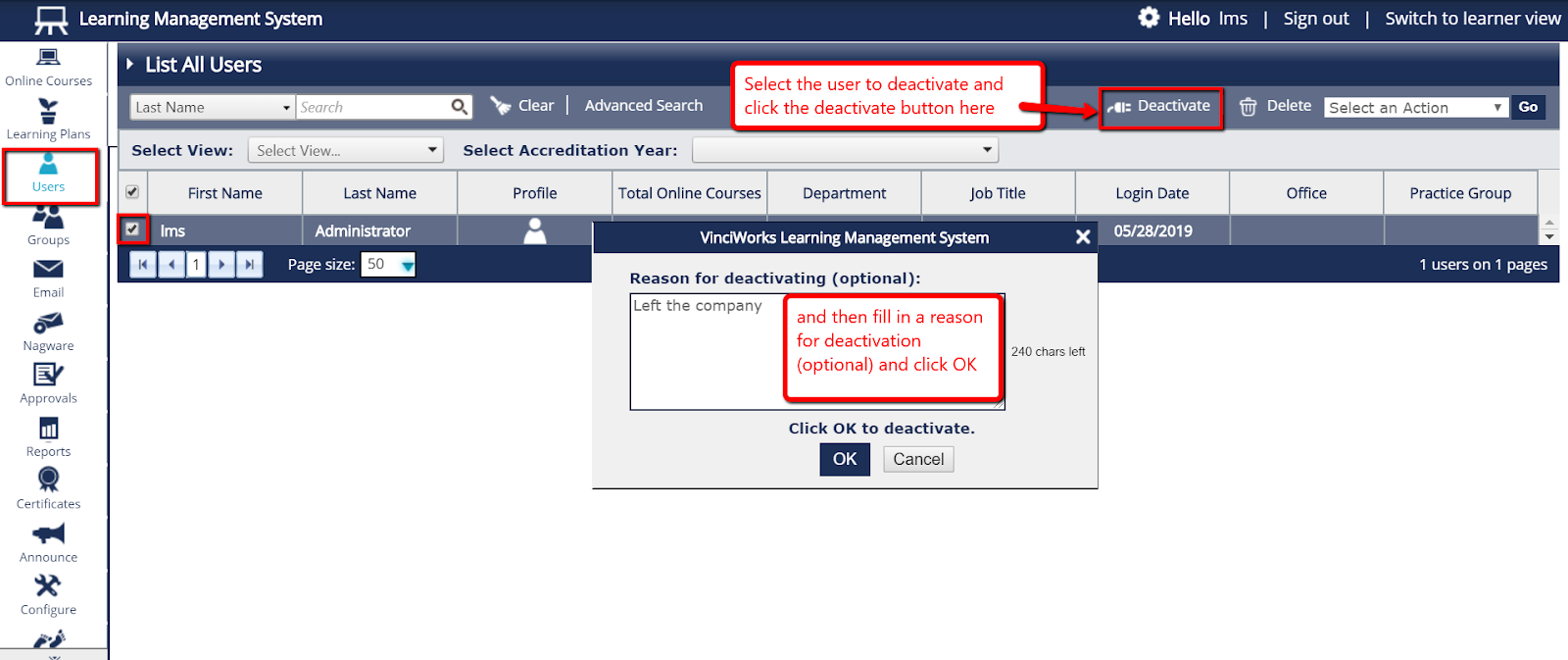
- Select “Users” from the menu on the left hand side of the page and then select “List All Users.”
- Tick next to the user(s) you would like to deactivate and then click “Deactivate” in the upper right side of the page.
Please note: Entering a reason for deactivation is optional.
- To Reactivate A User
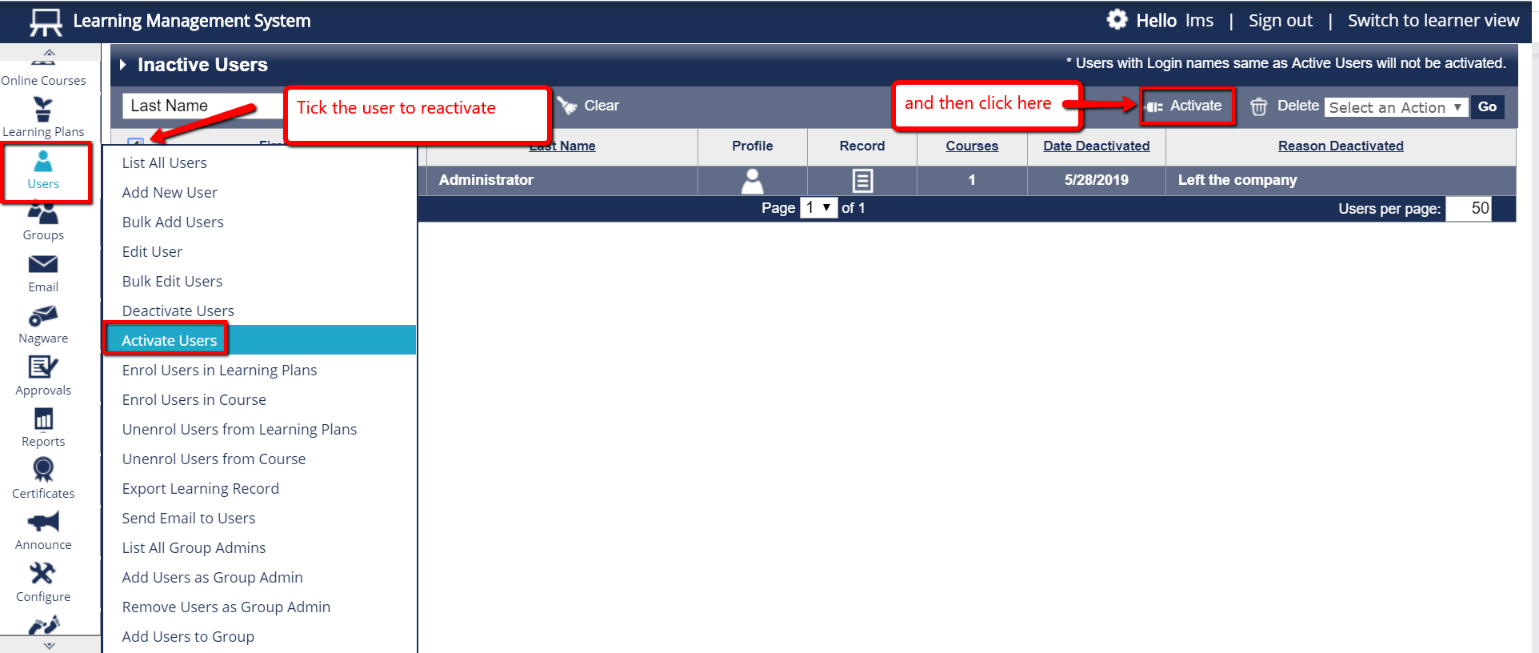
- Select “Users”, from the menu on the left hand side of the page and then click on "Activate Users".
- Tick next to the deactivated user(s) and then click “Activate” in the upper right side of the page.