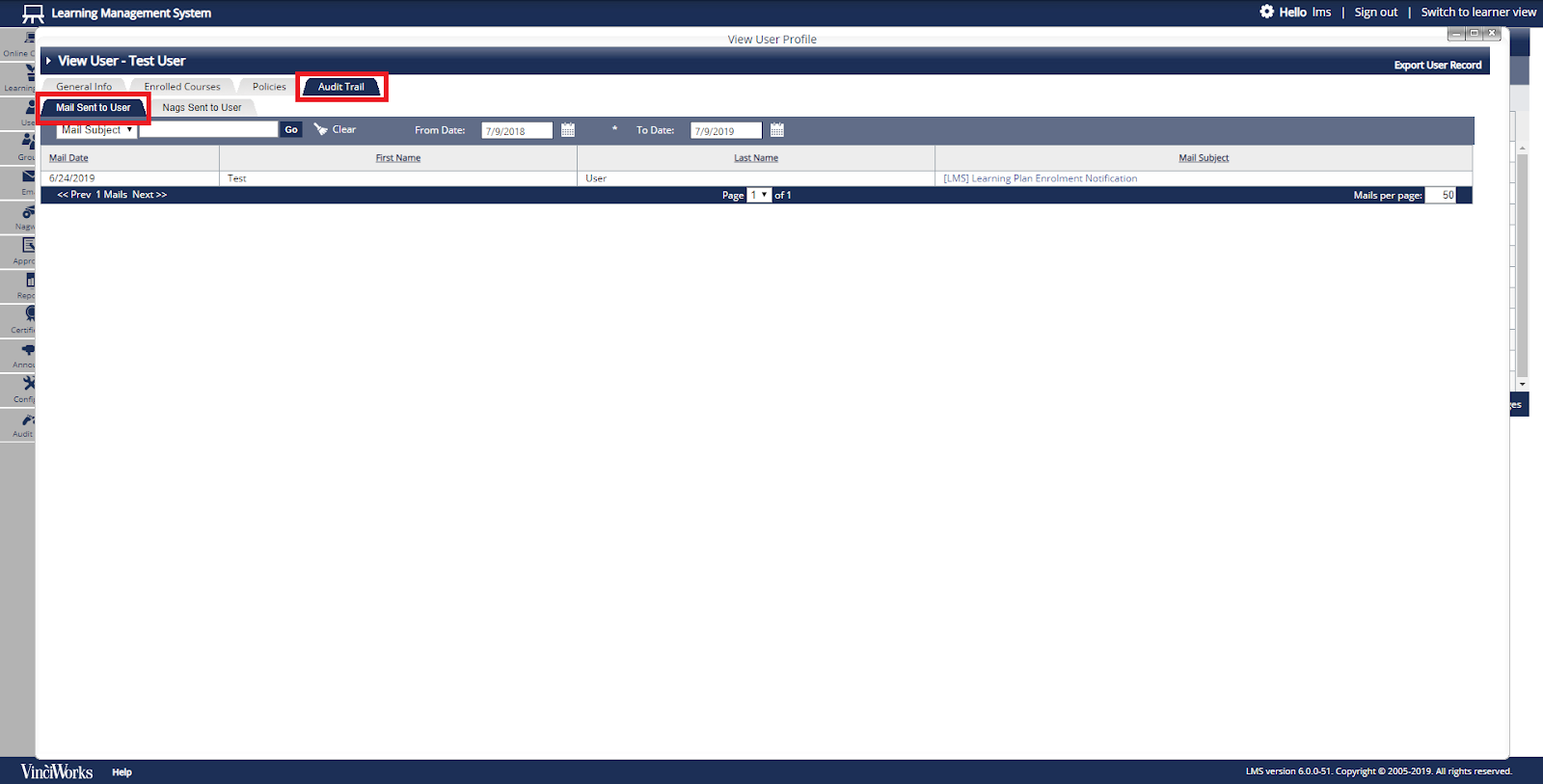
- From the menu on the left side of the page, select “Users” then “List All Users” to see the full list of users. If needed, use the Search option above the list of users to find the user you wish to update. Click the profile icon for the desired user.
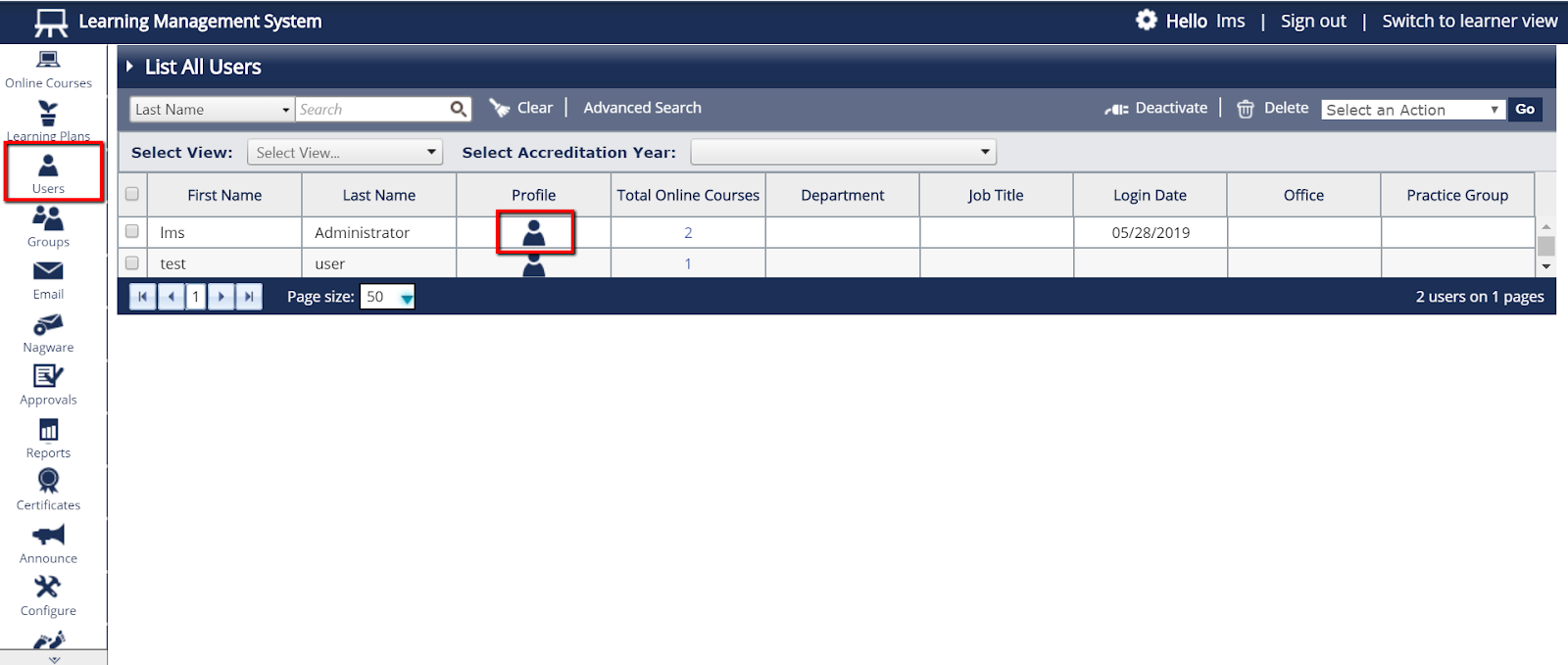
- In the new window, select the “Audit Trail” tab. Select the secondary tab, “Mail Sent to User”. Here you will be able to review the emails that have been sent to that user through the Learning Management System.